Saturday, January 17, 2004

Outlook Express Folders

If you are like me you want to keep a few emails that contain information on a particular subject. I am planning a vacation and have sent out lots of emails asking for information to be sent back and I don’t want to delete or loose them in the mess of spam I receive everyday. Here is what works for me.

Open OE (outlook express) look in the far top Left frame
Click on ‘Local Folders’ it will highlight (turn blue)
Right Click on ‘Local Folders’
A menu will open
Left Click on ‘New Folder’
A menu will open
Type in ‘Keep Me’
Click ‘OK’

Look down the list and you should see ‘Keep Me’
You can now ‘drag and Drop’ the emails you want to save in this folder.
If you don’t know how to drag and drop (shame on you) you can Right click on the email and choose ‘Copy to Folder’ Then click ‘Keep Me’ Your email will be copied to this folder for safe keeping.

You can make other folders to separate emails pertaining to different subjects. I made one called ‘trip’ to keep all the replies that I received back on my vacation plans.

You don’t want to loose all your emails, links, and addresses in the big crash that is going to come sooner or later do you? Well back it all up, oh, you don’t know how, I’ll tell you in a future Blog post.
Friday, January 16, 2004

Waste that CD

I had some back-up CDs and DVDs that I wanted to destroy. They had some information on them that I would not want to fall into the wrong hands. Always before I just bent them a few times, that’s no fun is it? Put them in the microwave and set the timer for 3 seconds and look through glass door to see if you see an arc. If you do you are all done, if no arc was seen increase the time at 2 seconds intervals till you see an arc. Do not over do it. When you get it out it will have a very nice design on it. You can hang it on the wall and tell your guru friends it is a priceless abstract. Remember, ‘Don’t over do it’.

Going South


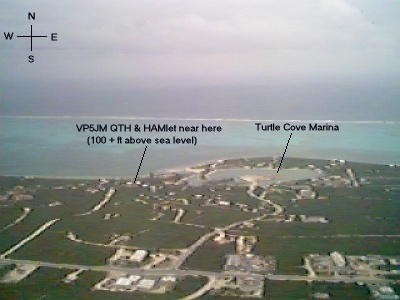
This is Provo Island

The last two days have gave me eye strain looking at the LCD on my laptop. A couple of friends and me have been talking about taking a Ham Radio Holliday to the Caribbean. Some of the Islands I have looked at are Grand Cayman, Little Cayman, St. Lucia, Provo, and a few more. Provo is in the lead but Little Cayman is a close second. I have been to Provo once before and it is very nice but Little Cayman is nicer I think because of better sand and water, but we don’t care about the beach, we are doing Ham Radio. There is little to do on either Island except swim. All the Islands in the Caribbean are pretty well laid back. We joke about them being on Island time. Nothing happens till after 10 A.M., if you see a sign saying “open at 10” it really means open when I get here. It may be 10:30 or 11 or not at all. Food is very expensive as it all or most has to be flown in. I remember having lobster one evening at a very nice restraint called the Airabus on Provo that was flown in from Maine, USA. While on Little Cayman my wife and I hired a guide to show us the sights of the Island. The first 4 stops were beaches, now you see one beach you seen ‘em all. I told him I wanted to see the Port where the freight came in. After that I wanted to see the power house where they produce the electric. Then I made him take me to see where the water plant was. When we returned to the hotel He told my wife that was the craziest tour he had ever taken anyone on. I have to say it was the craziest tour I had been on too as we were ridding in the back of a ton truck setting on wood boxes holding on to a rope to keep us from being slung out. The guide had a little speaker loosely tied with wire to the racks of the truck and as we passed a point of interest (like a cactus) he would say ‘and now to you’re immediate left is a 200 year old cactus and now we are passing ………. ‘ It was a blast, and I loved every bump in the pot holed road. The first time I went to Grand Cayman (1981) it was my kind of place, no phones, no TV, one radio station, and not much traffic. Now it is like New York City, Phones in your room, TV and radio, pagers, and anything else you can think of. That’s not for me. Little Cayman is about 20 years behind Grand Cayman. One thing about the Cayman Islands is it is very safe. You never have to worry about crime or beggars. I can honestly say, they are glad you are there. The people are so nice and everything is very clean, this is not true about some of the other Caribbean Islands. Never go to Jamaica. Ham Radio is very different in the Islands as everyone in the whole world wants to talk to you. I have had over two or three hundred stations calling me at the same time. This is what as known as a pile-up. It is a big ego trip. If you want to go with us, Ham or not, let me know. The more that goes the less expensive it is for us all. We are looking at February 9th.

I need some photos for DailyFoto.com Send them to me please, I’m getting low.

Wednesday, January 14, 2004

Add New Fonts

Q: How do I find and add new fonts to Windows?

A: Microsoft and Apple jointly developed a font standard called "TrueType" which is scalable and is supported in both Windows and the MacOS. Scalable means you can increase or decrease the size of the font without distorting it.

Way back before the Internet, you generally had to purchase font packages and install them from disk. You can still purchase commercial font packages in retail stores and online, but for the most part, any font that you may want is likely available as a free download from dozens of Web sites.

If you know the name of the font(s) that you want to add, try going to your favorite search engine and putting the font name followed by ".ttf" into the search bar. The ".ttf" tells it to look specifically for the True Type Font extension, which will narrow your search results to actual sites that have the font. For instance, if you were looking for the "comic" font, put "comic.ttf" into the search engine so that you will go to sites that will actually have the font for downloading.

If you just want to go on a font finding spree, try going to 1001freefonts.com, acidfonts.com, getfonts.com, or type "free fonts" into any search engine.

When you find the font that you want, you must download it to your computer from the Web site. The exact process differs from site to site, but be sure to remember where you saved the file on your computer. If the download file has a ".zip" extension, it means it has been compressed and will require an unzip utility such as WinZip.

Once you have downloaded the fonts that you want to add, go to the Control Panel (Start/Settings/Control Panel) and open the Fonts icon. This should open a window that displays your currently installed fonts. Next, click on File / Install New Font to open the Add Fonts window. Navigate to the folder that contains the downloaded fonts by using the Folders: section. When you get to the folder containing the new fonts, they will automatically appear in the List of fonts: box at the top. If you want all of the fonts listed, click on the "Select All" button to the right, then on OK. If you only want certain fonts installed, hold down the "Ctrl" button on your keyboard, then select the fonts that you want to install, then press the OK button.

The newly installed fonts will appear in the list and will now be available to all of your programs that allow you to change fonts. A word of warning: installing too many fonts can impact the overall performance of your system and slow it down. The more fonts you install, the longer it will take Windows and some other programs to load. The number of installed fonts will appear at the bottom left of the list of fonts. To remove a font, simply click on it and press the delete key on your keyboard. To view a font, simply double-click it. Windows has a core group of fonts that are necessary for the system to operate properly, so before deleting any fonts check the table of required fonts that Sue Chastain has so kindly posted here.

*** The above information was gatherd from the Lockergnome Windows newsletter.

Have you seen RipleyCounty Dot Net