Write CDs with XP
Q.
I was told I don't need to buy software to write CDs with XP, Is this true ?
I want to back-up the pictures I have for safe keeping.
A.
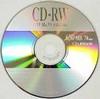
CD-R and CD-RW drives have become common components of desktop computers. Windows XP allows users to write information to CD without having to install additional software. Data can be copied to a CD using the following procedure:
1. Insert a writable CD into the CD burner/recorder.
2. Within My Computer, select the data you want to write to CD.
3. Under the list of tasks, select Copy This File, Copy This Folder, or Copy the Selected items.
4. From the dialog box that appears, click the CD recording drive and click Copy.
5. Double click the CD recording drive within My Computer.
6. Under the list of tasks, select Write These files to the CD.
If you are using a CD-RW, you can also erase files on a CD. You must erase all files. Users do not have the option of erasing individual files. CD-R disks are not erasable.